100% Client-Side Privacy
All data mapping happens directly in your browser. Your employee data and CSV files are never uploaded to any server, ensuring complete data privacy and GDPR compliance.
Create professional, branded email signatures for your entire team instantly. Upload employee data via CSV, map it to your custom HTML template, and export unlimited signatures in bulk.
Don't have files ready?
Use our samples to see how it works instantly.
Or click to browse. Supports up to 10,000 rows. We use the 2nd row for Live Preview.
Upload HTML Template
Must contain Handlebars {{tags}} like {{Name}}, {{Email}}, etc.
Upload CSV & Template to see the magic happen.
Generating standard signatures for an entire organization shouldn't require manual copy-pasting or expensive SaaS subscriptions.
All data mapping happens directly in your browser. Your employee data and CSV files are never uploaded to any server, ensuring complete data privacy and GDPR compliance.
Avoid exorbitant per-user subscription fees from third-party tools. SigBuilder provides enterprise-level bulk generation capabilities completely free of charge, forever.
You aren't locked into rigid, clunky drag-and-drop builders. Bring your own HTML/CSS to have full control - signatures render flawlessly across Outlook, Gmail, and Apple Mail.
Learn how to perfectly map your CSV data to your custom HTML template using Handlebars syntax.
Use your exact CSV Headers without spaces inside double braces. Use triple braces if your CSV cell contains HTML code that needs rendering.
Prevent awkward empty spaces in your signature by wrapping elements in a condition. If the CSV cell is empty, the HTML inside won't render.
{{#hasValue Position}}
  <p class="title">{{Position}}</p>
{{/hasValue}}

{{#hasValue Mobile}}
  <span>M: {{Mobile}}</span>
{{/hasValue}}
You can inject CSV variables directly into standard HTML attributes like href or src.
<img src="{{PhotoURL}}" alt="{{Name}} profile" />

<a href="mailto:{{Email}}">{{Email}}</a>
<a href="{{Website}}">Visit Site</a>
When you click Generate & Download ZIP, the system processes your entire batch locally:
.html file per user..zip archive.Hi, I'm Pratik Chauhan, a Senior Full-Stack Developer. I specialize in crafting high-performance, scalable web solutions. My work focuses on the sweet spot between cutting-edge design and extreme technical optimization.
Expert in Next.js, React, WordPress & Shopify.
$40K+ earnings with 1,800+ hours of high-quality work.
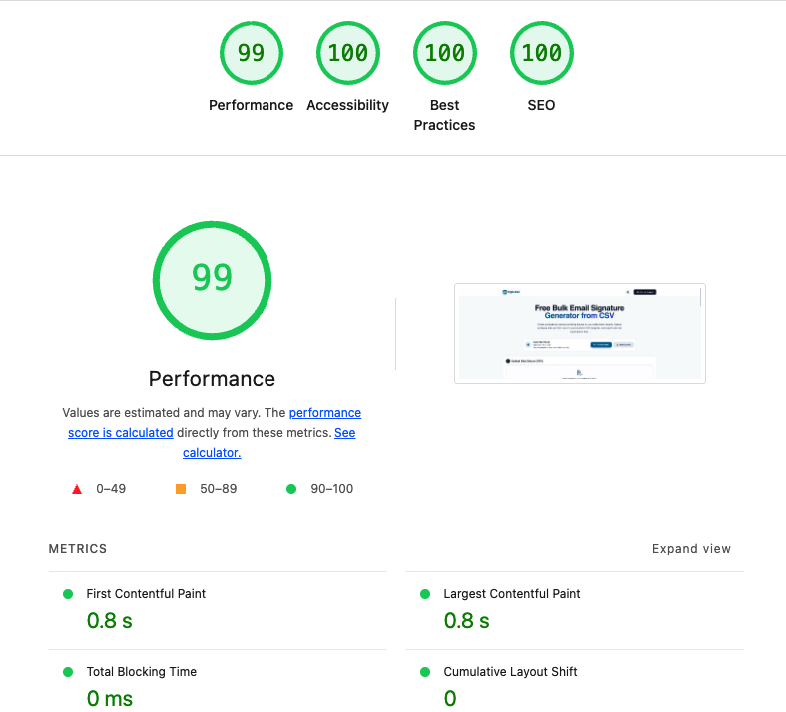
Real-world performance data for Sigbuilder Vercel App
Verify Live PageSpeed